New apps:rm, with a required confirmation Read the changelog

Free plan · no card needed

Ship your whole app to servers you own.

Railyard deploys your frontend, backend, databases and workers to servers in your own DigitalOcean, Hetzner or Vultr account.

Free plan: 1 server, a database server and 3 apps. No card.

Runs on servers in your own account at

  • DigitalOcean
  • Hetzner
  • Vultr
  • OVHcloud
  • Any Linux server

From git push to your server in minutes.

Demo
Railyard step by step: add a server in your cloud account, paste a GitHub link, deploy, and the app is live on HTTPS

Paste a GitHub link. Railyard builds it, runs migrations, checks health and serves it over HTTPS.

Try it

Paste a repo. See what Railyard sets up.

Try

Deploy
  • Next.js frontends
  • Rails apps
  • Django backends
  • Laravel apps
  • Phoenix services
  • Postgres databases
  • Sidekiq workers
  • Cron jobs
  • Anything

Works with any framework.
Deploy from Git, a Dockerfile or the CLI.

Deploy guides for every framework

Every deploy

What happens when you push.

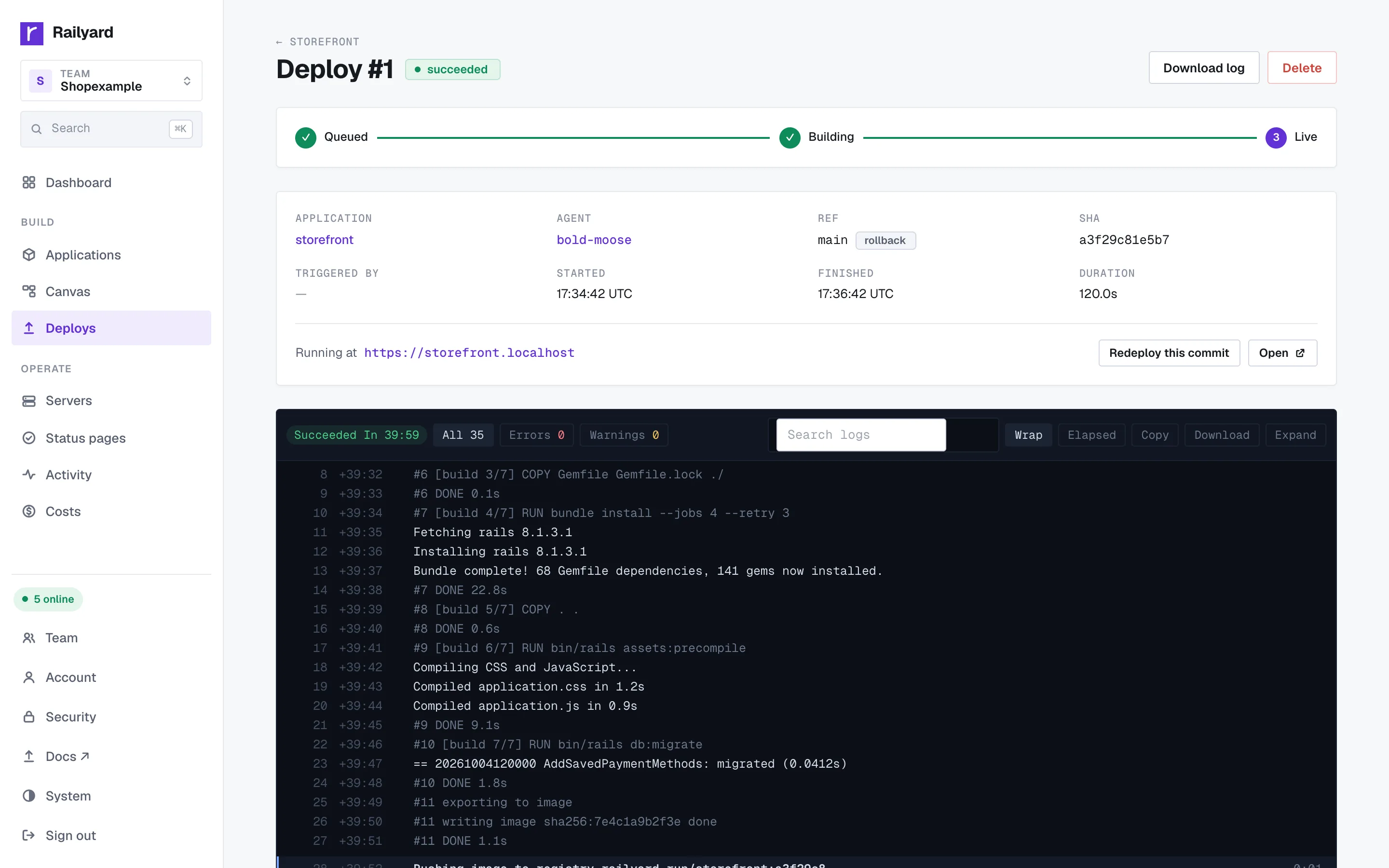
Your current version keeps serving while the new one builds, runs its release command and passes a health check. Only then does traffic move.

  1. git push
  2. Build
  3. Release
  4. Health check
  5. Live
1/5You push a commit. v1 keeps serving your users.2/5v2 builds next to it. Nothing changes for traffic.3/5The release command runs, for example your migrations.4/5Railyard asks v2 if it's healthy before sending users.5/5Traffic moves to v2. v1 stays ready for a one-click rollback.

Your servers

Your servers. Your bill.

Railyard runs the software. The servers stay in your cloud account, billed by your provider at their price.

Your cloud account

Paste an API token from DigitalOcean, Hetzner or Vultr. Railyard creates the server and has it ready in about two minutes.

Any Linux server

Bring an Ubuntu server you already run. Railyard connects over SSH and installs Docker, Caddy and a small agent.

Leave any time

Move apps between servers in one click. If you cancel, your apps keep running as plain Docker containers.
Start free How it works

Production-ready on day one.

Health-checked releases

Health-checked releases

A release gets traffic only after it answers. Roll back to any release in one click.
Managed databases

Managed databases

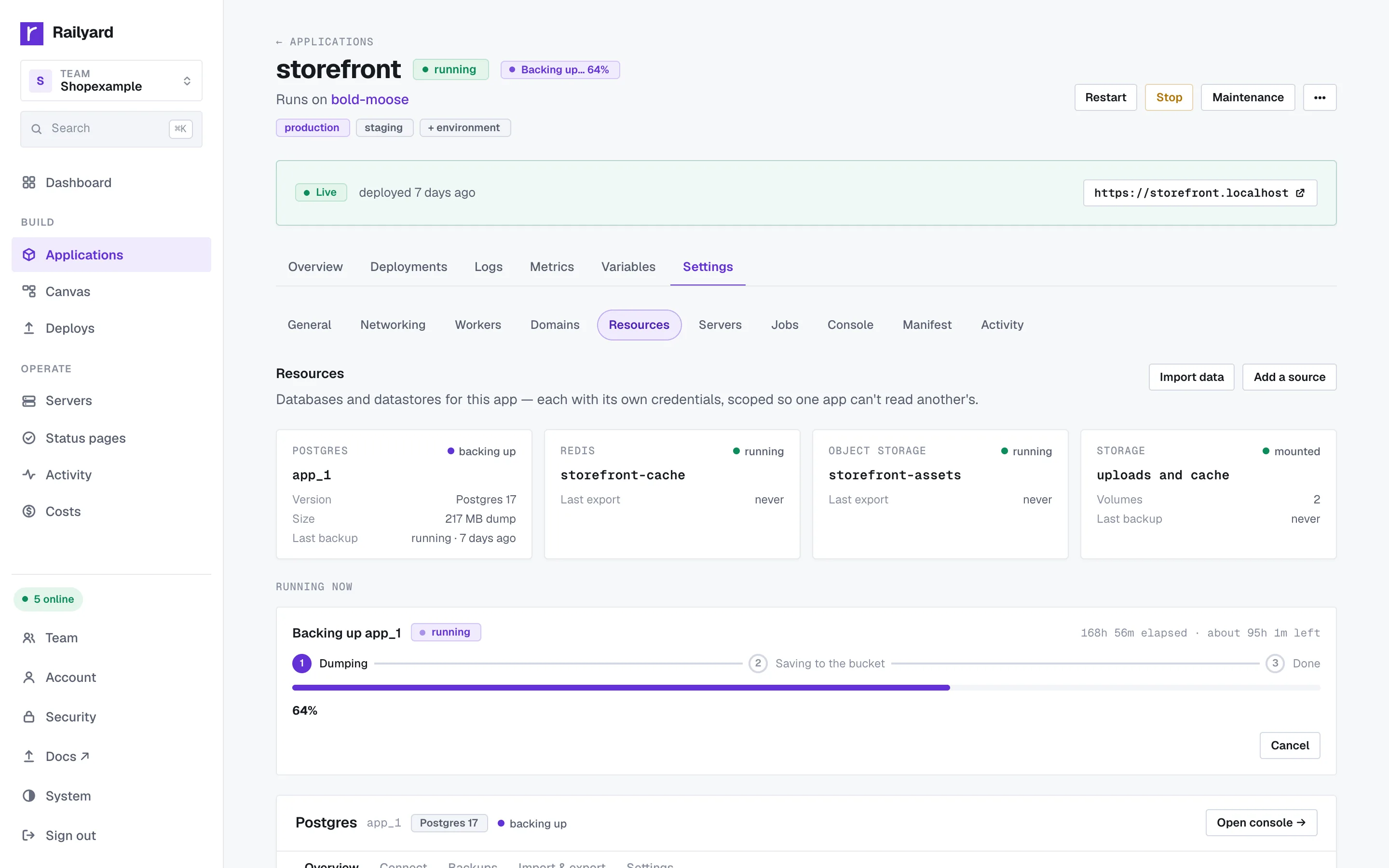
Postgres, MySQL and Redis on your servers, with verified backups and point-in-time restore.

Start free

The whole app, not just the web process.

Connect

Paste a cloud API token or add any server over SSH.

  • Ready in about two minutes
  • Docker, Caddy and agent installed
  • No markup on compute
  • Data stays on your servers
Deploy

Paste a GitHub link or pick a template. Railyard works out the build.

  • GitHub, git push or the CLI
  • Zero-downtime releases
  • One-click rollback
  • A preview per pull request
Run

Everything you need to run it in production.

  • Searchable logs and drains
  • p95, p99 and error rate
  • Verified database backups
  • Audited browser console
Scale

Scale what's busy and put idle staging to sleep.

  • Scale on latency or CPU
  • Staging asleep when idle
  • Workers and cron jobs
  • Domains and HTTPS

Pricing

One flat price per team.

Never per app, per deploy, per seat or per gigabyte. Your servers are billed by your provider at their price.

Free

Free

  • 1 server plus a database server, 3 apps
  • Managed Postgres, MySQL and Redis
  • HTTPS and zero-downtime deploys

Team

$49/ month

  • Unlimited servers and apps
  • Single sign-on and SCIM
  • Approvals, audit log, priority support

Questions

Frequently asked questions

More questions on the pricing page

Is Railyard a hosting company?
No. Railyard doesn't own or rent servers. It's software that creates and runs servers in your own cloud account, so the machines, the data and the bill are yours.
What can I deploy?
A whole app: the frontend, the backend, its databases, workers and cron jobs. Railyard detects Next.js, Vite, Astro, Rails, Django, Flask, FastAPI, Phoenix, Go, Laravel and more, or builds any Dockerfile.
Do I need to know Docker or Linux?
No. Paste a repository or pick a template, and Railyard writes the build, the proxy config and the health checks. If you already have a Dockerfile or an image, Railyard uses it.
Which clouds work?
DigitalOcean, Hetzner and Vultr, plus AWS, OVHcloud or any Ubuntu server you can reach over SSH.
Can I move from another platform?
Yes. Paste an API token from Heroku, Render, Railway or Fly.io and Railyard brings over processes, variables, databases with their data, and domains. The old app keeps serving until you switch DNS.
What happens if Railyard goes away?
Your apps keep serving. They are plain Docker containers behind Caddy on your servers, and you can export every app as a manifest.
What does it cost?
Free for 1 server plus a database server, and 3 apps. Pro is $19 a month per team with unlimited apps and free staging; Team is $49 with unlimited servers and single sign-on. Your servers are billed by your provider.

Deploy your first app in minutes.

Free plan, no card. Every new team gets 14 days of Pro.

Free plan, no card needed.