Four roles
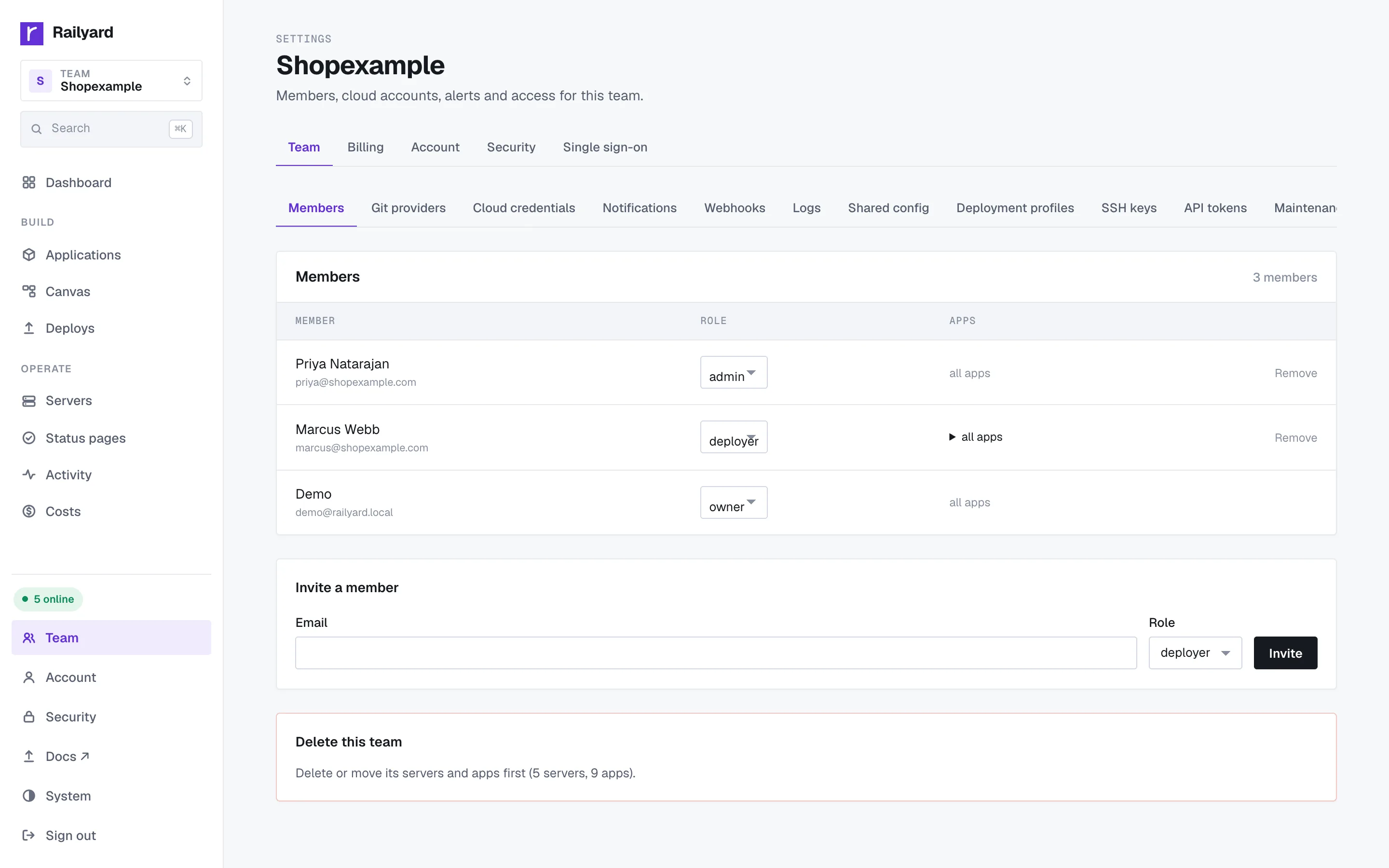
Viewer, deployer, admin, owner. Each includes the permissions below it. Admins can require approval before a deployer's release goes out.
Security
The security controls Railyard has today.
Your infrastructure
Railyard does not own the machines your apps run on. They are created in your own cloud account or attached from hardware you already control, and your databases and backups sit there too. The access boundary is yours, including the ability to revoke ours. If you leave, your apps keep running as ordinary containers on your server.
A security score for your team
The security score runs ten checks across the team and links every failing one to its fix.
people
Access is per team, and every role is a strict subset of the one above it.
Viewer, deployer, admin, owner. Each includes the permissions below it. Admins can require approval before a deployer's release goes out.
TOTP with single-use backup codes. The security score flags every member who has not turned it on.
Sign in through your identity provider over OIDC or SAML, matched on your email domain with a default role. SCIM adds and removes members for you.
Keys added to the team are installed on its servers, and a member's keys are removed when they leave the team.
servers
The Railyard agent on each server does the routine hardening work nobody remembers to do.
An IP that probes three scanner paths in a minute, such as /.env or /wp-login.php, is banned at the firewall for a day. SSH brute force is banned too. Your own IPs can be marked trusted.
Each server reports pending and security updates, whether it needs a restart, and whether its OS is past end of life. Apply them in one click and keep nightly security updates on.
Database data can live on a LUKS2-encrypted volume, so a copied disk image is unreadable.
network
Rules run at the edge on your own server, before a request reaches your app.
Allow or deny lists of addresses per app, and password protection for stagings and previews.
Per-path request limits, and country allow or deny lists, set in a form.
A database is reached from outside only through a TCP proxy you turn on, limited to the addresses you trust.
Certificates are issued and renewed for every domain, and you can upload your own.
secrets
Credentials are encrypted at rest and delivered only where they are needed.
Environment variables, build secrets, cloud provider tokens, registry passwords and two-factor secrets are encrypted in the database.
Build-time secrets are passed into the build, not written into an image layer.
Variable values are hidden in the CLI and API responses until someone asks to reveal one.
A verifier restores backups, so an unusable one is found before you need it.
tokens
Machine credentials are scoped, revocable and never shared between servers.
Read or read-write, with an optional expiry. Revoke one without touching the others. Only a SHA-256 digest is stored.
Each server's agent has its own token, so one compromised server cannot speak for another. A new agent does nothing until an admin claims it.
When an AI agent asks to delete an app or remove a variable over MCP, nothing happens until an admin approves it.
Outgoing webhooks carry an HMAC-SHA256 signature, so your endpoint can prove the call came from Railyard.
audit
The team activity log is the answer to who changed what, and when.
Deploys, rollbacks, variable changes, membership changes and approvals, each with the person behind it.
Opening a shell into a running container is recorded with who opened it and the command it started.
Export the activity log for your own records or an auditor.
Email security@railyard.run with enough detail to reproduce the issue. We will acknowledge within two business days and keep you updated until it is resolved. Please do not test against other customers' infrastructure.
See also every feature and Railyard for coding agents.
Attach a machine with a host, a user and an SSH key, or let Railyard create one in your cloud account. It installs the rest and watches it come online.
Free plan, no card, and 14 days of Pro for every new team. One flat price per team.